
Black Shirt Mockup
Put your design on a black t-shirt photo and download the mockup.
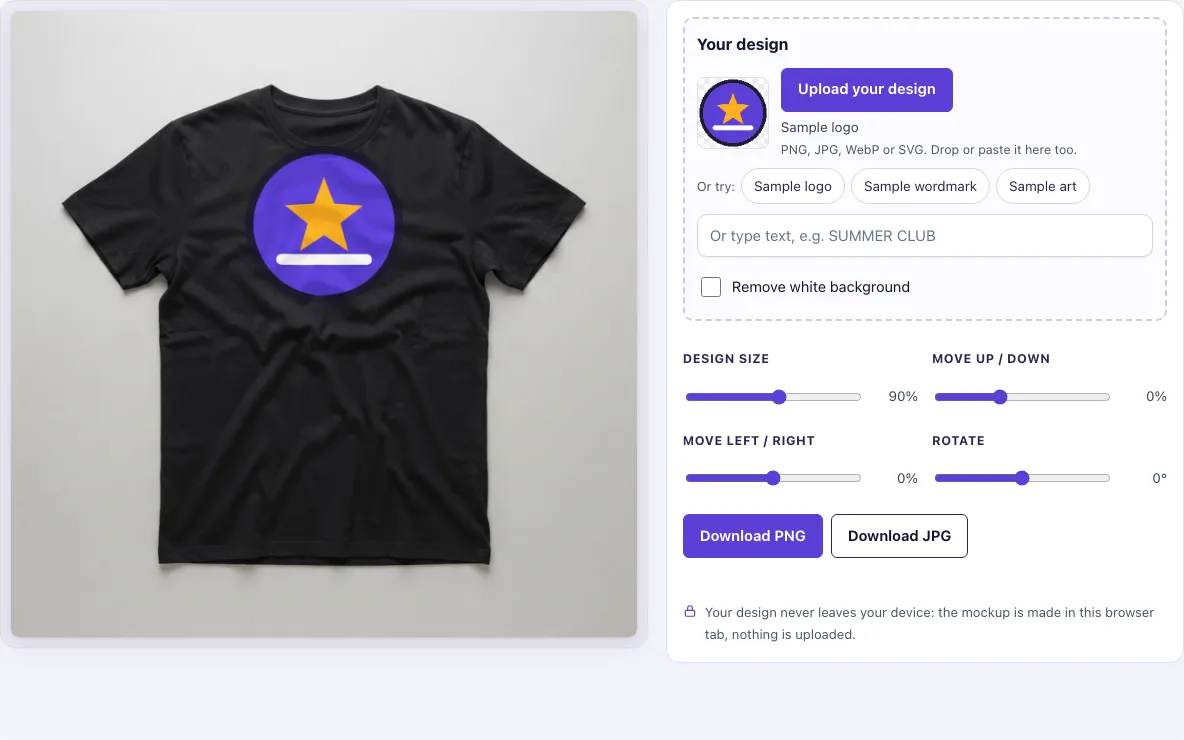
A black shirt mockup shows your design printed on a black t-shirt, so you can see how it will look before you print or sell it. This tool places your artwork, logo or typed text on a flat-lay photo of a black tee. You can change the size, position and angle of the design, then download the result as a PNG or JPG. The shirt always stays black, so this page suits designs made for dark apparel. If you need a different shirt colour, the t-shirt mockup page is the place to go.
Because the shirt is black, the page starts with light text when you type words,.
How to use the black shirt mockup
- Open the Your design box. Click Upload your design and pick a PNG, JPG, WebP, GIF or SVG file. You can also drop a file onto the box or paste an image.
- If you do not have a file yet, click Sample logo, Sample wordmark or Sample art to try the tool, or type words into the Or type text box.
- Turn on Remove white background if your design sits on a white box; on a black shirt that box would print as a white rectangle. It switches on by itself when an uploaded picture has a plain white background and no transparency.
- Use Design size to make the print larger or smaller.
- Use Move up / down and Move left / right to position the design on the chest.
- Use Rotate to tilt the design if needed.
- Click Download PNG or Download JPG. The file is saved at 1024 × 1024 px.
Your settings are stored in the page address. If you copy the link, it reopens with the same photo and placement, but your design file is not included, so you will need to upload it again.
Tip: if your logo comes as a JPG on a white square, that square would print as a white patch on a black shirt. Turn on Remove white background; the thumbnail’s checkerboard shows what is now transparent. For the cleanest edges, export the logo from your design program as a PNG with transparency instead.
How to make a black t-shirt mockup
To make a black t-shirt mockup, place your design on a flat-lay photo of a black shirt and let the tool print it onto the fabric. The tool does not redraw your artwork; it prints the design as it is, then adds the look of fabric to it.
On a black shirt, the print is drawn as an opaque ink layer, similar to how screen-printed or DTG ink sits on a white base layer under a dark garment. Because the ink is opaque, colours stay strong and white stays white. The folds of the photo shade the print by no more than about 6 %, and a little fabric texture is added on top. The design is also moved by at most about 3 px along the large folds, so it appears to sit on the cloth rather than floating above it.
Size matters too. The default Design size is 90 %, which leaves a small margin around the print; 100 % makes the design just fit the print area on the chest, and lower values give a smaller chest print.
What colours work on a black shirt
Light colours work best on a black shirt. White, pale grey, cream, yellow and light pastels stand out clearly against the fabric. Dark colours such as navy, dark green or black itself will blend into the shirt and be hard to see. This is why the text box on this page starts with light grey-white text by default.
Mid-tone colours, such as orange or medium blue, will show, but they look less punchy than light colours. If you are unsure, upload a test version and compare it against the preview before you download.
Transparent backgrounds give the cleanest result. A PNG with a transparent background lets the black fabric show around your artwork, so no box or halo appears. White areas inside a design are fine on a black shirt, because white ink is opaque here. The problem with white areas belongs to light shirts, where white ink on white fabric disappears.
Frequently asked questions
Is it free?
Yes. You can make and download mockups without paying anything.
Is my design uploaded?
No. The mockup is made in your browser tab, and your design file is never sent to a server. There is no sign-up, so you can start straight away.
Can I use it commercially?
Yes. You may use the downloaded images to show and sell your own designs and products, such as shop listings, adverts, social posts and portfolios. You do not need to credit the tool. The blank photos themselves may not be resold as mockup templates.
Can I change the shirt colour?
No. This page uses one photo, “Black flat lay”, so the shirt stays black. For other colours, use the t-shirt mockup page.
Why does my design look different on a black shirt than on a white one?
On a white shirt the ink mixes with the fabric, so folds and knit show through it. On a black shirt the tool lays down an opaque layer, as printers do with a white underbase, so colours look brighter and flatter. Both are how real prints behave.
What size is the download?
PNG or JPG at 1024 × 1024 px, the full size of the black t-shirt photo.
Related tools
- T-shirt mockup - Use this when you want to test a design on shirts in more than one colour.
- White shirt mockup - Use this when your design is made for a light garment.
- Black hoodie mockup - Use this when you sell hoodies and want to see a design on a black hooded top.
- Black shirt template - Use this when you want a blank black shirt layout to design on by hand.
- Apparel mockups - Use this when you want one design on four garment photos at once.
- Hoodie mockup - Use this when you want to show a design on a hoodie rather than a t-shirt.
- T-shirt outline - Use this when you need a simple shirt shape to trace or place artwork against.