
Black Shirt Template
Download a blank black t-shirt photo with a transparent or plain background.
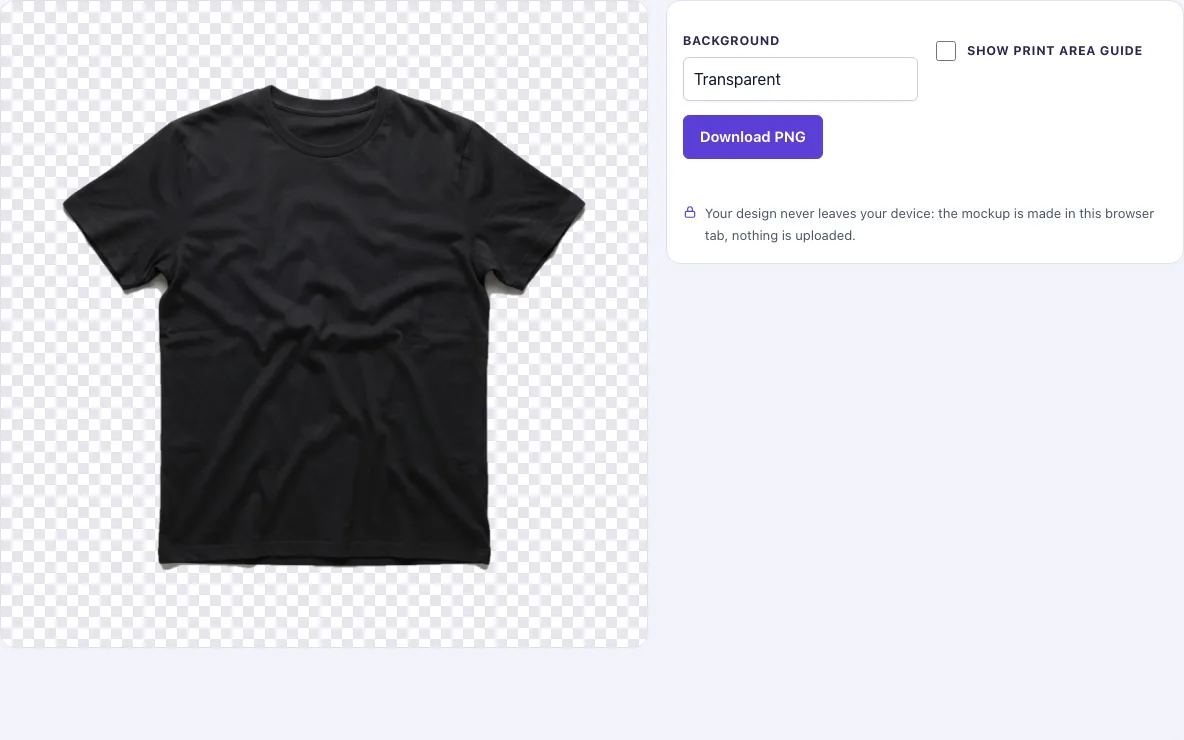
How to use the black shirt template
- The page shows its one photo, “Black flat lay”, straight away.
- Leave the shirt as it is. There is no colour choice on this page, and the shirt is a real black garment photo, so you do not need to recolour it.
- Pick a Background: Transparent, White, Light grey or Original photo.
- Switch on Show print area guide if you want a dashed pink box and a centre line on the chest to help you place your design.
- Click Download PNG. The file saves at the photo’s full size, 1024 × 1024 px.
- Open the PNG in your design program, place your artwork on the chest, and line its centre up with the centre line.
Each background option produces its own download. A Transparent file lets you layer the shirt under other elements, while a White or Light grey file is handy for a quick preview or a presentation slide. Choose the background that matches the next step in your workflow.
The cut-out keeps the soft shading of the black fabric, so the template does not look like a flat black shape when you place it on a coloured or patterned background.
Nothing is uploaded at any step.
How to use a black shirt template
Place your design on top of the shirt image in an image or design program, then export the combined result. The shirt is the bottom layer, so your artwork sits above it and can be moved, resized or rotated without touching the template.
A template works best when the shirt and the design are separate layers. If you change the shirt, the design stays put, and you can test several designs on the same garment without redoing the background.
Is it high resolution
The download is 1024 × 1024 px. Pixel count sets how large the image can be shown sharply: at 300 dpi, 1024 px is about 3.4 inches across; on screens and in shop listings it is plenty.
For screens and listings, 1024 px is enough. If you need a bigger white-shirt template, the t-shirt template page has a 2048 px photo. Your own design file should be at least as large as the print you plan to make.
Can I get it with a transparent background
Yes. Choose Transparent in the Background options and download the PNG. The background is see-through, so you can drop the shirt into any design program and place it over any colour or pattern.
PNG is the format that keeps transparent areas. The cut-out follows a mask made for each photo, and the edge is softened by about one pixel, which helps the shirt blend into a new background without a hard halo.
Is it free
Yes. The templates are free, and you do not need to sign up or create an account to download them.
Free access covers the current black flat lay photo and its download sizes.
Can I use it commercially
Yes. You may use the templates to design, present and sell your own products, including listings, ads, portfolios and client presentations, and you do not need to give credit.
The rule separates using a template to make your own product from giving the template away. You may not resell or share the templates as a template pack.
Frequently asked questions
Can I change the shirt colour?
No. There is no colour choice on this page. The shirt is a real black garment photo, not a recoloured white one, so the colour you see is the colour you download.
Does the print area guide appear in my download?
Only when you switch on Show print area guide. The guide is a dashed pink box and a centre line on the chest, and it is included in the PNG only when it is on.
Are my photos uploaded anywhere?
No. Nothing is uploaded, and there is no sign-up. Your settings are kept in the page address, so if you copy the link after choosing a background or the guide, the same settings will open again.
Do the templates include people, logos or text?
No. The photos are AI-generated blank garments, checked by hand, and they contain no people, no logos and no text. Your design is the only thing you add.
Are there 4K files or back and side views?
At present, the page offers only the black flat lay photo, in the sizes described above.
What file type is the download?
PNG, because only PNG keeps the transparent background. If you need a JPG for a listing, choose White or Light grey as the background and convert the file in any image editor.
Related tools
- T-shirt template: Use this when you want a general t-shirt base in a colour other than black.
- Black shirt mockup: Use this when you want a finished-looking mockup of a black shirt to present your design.
- T-shirt outline: Use this when you need only the shape of a shirt, for example to trace or cut a design.
- Hoodie template: Use this when your product is a hoodie rather than a t-shirt.
- Black hoodie mockup: Use this when you want a black hoodie presentation image for a listing or ad.
- T-shirt mockup: Use this when you want to see your design on a shirt with a more finished presentation.