
Blank Hoodie Template
Recolour a blank pullover hoodie and download it as a PNG with a transparent background.
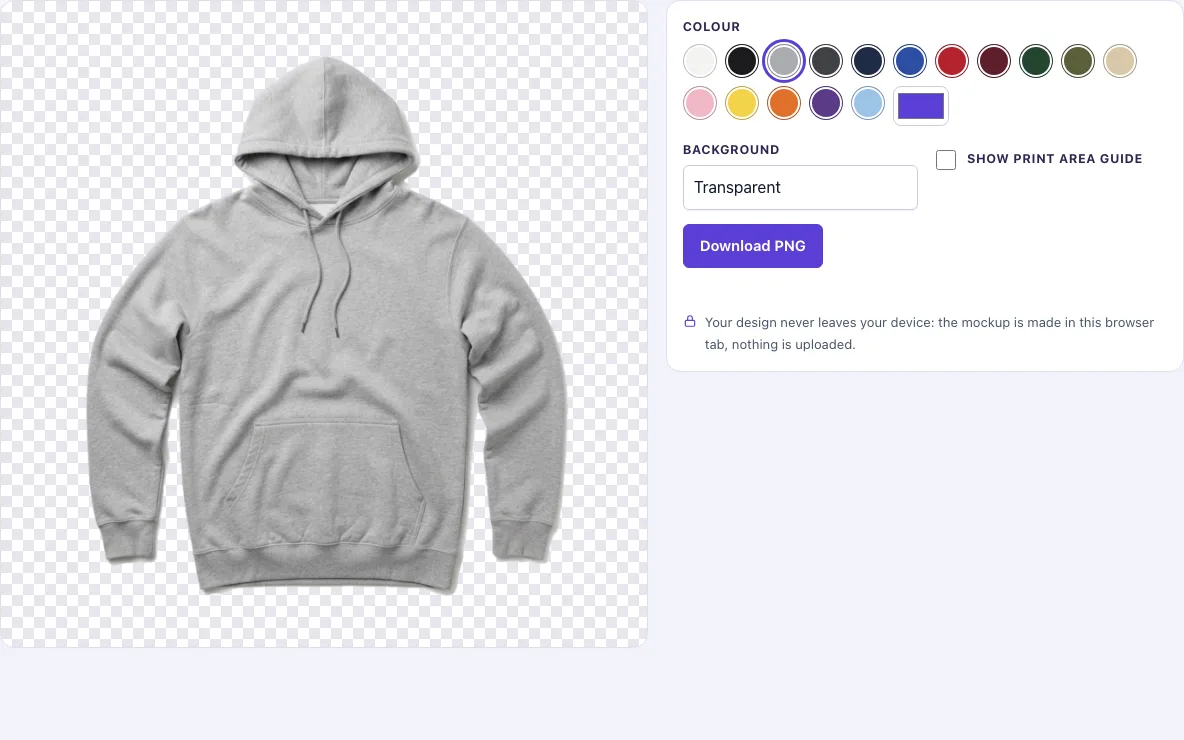
How to use the hoodie template
- The page opens with the pullover hoodie photo (front view).
- Pick a colour from the Colour swatches. Heather grey is the default. For any other shade, use the custom colour picker.
- Set Background to Transparent, White, Light grey or Original photo.
- Switch on Show print area guide if you want to plan placement. It draws a dashed pink box and a centre line on the chest.
- Click Download PNG. The file saves at the photo’s full size, 1024 × 1024 px.
Your settings are kept in the page address, so bookmarking the link keeps your colour, background and guide choices. Turn the print area guide off before you download if you do not want the pink box and centre line in your file, because the guide is only included when the switch is on.
Choose Original photo as the background if you want the hoodie on the light studio background it was photographed on, with its natural shadow; the other backgrounds cut the hoodie out along its outline.
To plan a print, switch on the guide, download the PNG with the box, and place your artwork inside the box in your design program; then download a second copy without the guide for the final image.
Blank hoodie template PNG: transparent, any colour
Yes, you can get the blank hoodie as a PNG with a transparent background: set Background to Transparent and download. Choose one of the 16 swatches or any custom colour, and the file keeps the photo’s folds and shadows.
How to design a hoodie template
Start with a blank template in the colour you want, then add your artwork in a design program on top of it. Choose Transparent as the background if you plan to place the hoodie into your own design file, because the area around the garment is see-through and the hoodie can sit over any background.
The download is 1024 × 1024 px, enough for listings and presentations. The cut-out follows a mask made for each photo, and its edge is softened by about one pixel, so the outline stays clean when you put the hoodie on a coloured or patterned background.
Pick the colour first, then check contrast. Dark artwork on a black or navy hoodie can disappear, so use a light version of the design on dark colours, and the reverse on light colours. Test the design on two or three colours from the swatches before you settle on one.
Where does the print go on a hoodie
The print usually sits on the chest, centred from left to right. The Show print area guide switch marks this zone with a dashed pink box and a centre line down the middle of the chest. Keep your artwork inside the box and line up its vertical centre with the centre line so the design sits straight.
Use the guide while you plan, then switch it off before you export. Artwork placed near the hood, sleeves or drawstrings may look cramped or cut off, so keep the main image in the box and any small detail within it as well. Test the placement on the template before you make a final file.
Which hoodie colours can I choose?
There are 16 swatches: Heather grey (the photo’s own colour), White, Black, Charcoal, Navy, Royal blue, Red, Maroon, Forest green, Olive, Sand, Pink, Yellow, Orange, Purple and Sky blue. If your supplier uses a different shade, type its hex code into the custom colour picker so the template matches the blank you will actually print on.
Frequently asked questions
Is the hoodie template free?
Yes. The templates are free to download today.
Can I get a transparent background?
Yes. Set Background to Transparent before you click Download PNG. The area around the hoodie will be see-through, so you can place it over any design.
Can I use it commercially?
Yes. You may use the templates to design, present and sell your own products, including in listings, ads, portfolios and client presentations, without giving credit. You may not resell the templates or share them as a template pack.
Can I use a colour that is not in the swatches?
Yes. Use the custom colour picker to choose any shade you need. Heather grey, the default, is the photo’s own colour.
What size will my download be?
Downloads save at the photo’s full size, 1024 × 1024 px.
Why do the folds stay after I change the colour?
Recolouring keeps the light and shadow of the photo: each pixel keeps its brightness relative to the rest of the hoodie, and only the colour changes. That is what makes the template read as fabric instead of a flat coloured shape.
Do I need to install anything or create an account?
No. The tool runs in your browser tab, so there is nothing to install and no account to create. Open the page, add your design and download the result.
Related tools
- Hoodie mockup: use it when you want a hoodie shown as a finished product rather than a blank template.
- Black hoodie mockup: use it when your design is for a black hoodie and you want to show it that way.
- T-shirt template: use it when you are designing a t-shirt instead of a hoodie.
- Black shirt template: use it when you need a dark shirt base for a design.
- T-shirt outline: use it when you only need the shape of a t-shirt to trace or guide a design.
- Apparel mockups: use it when you want to show several clothing items in a set of product images.