
Magazine Mockup
Upload your cover or spread, choose the size and view, and download a realistic magazine image.
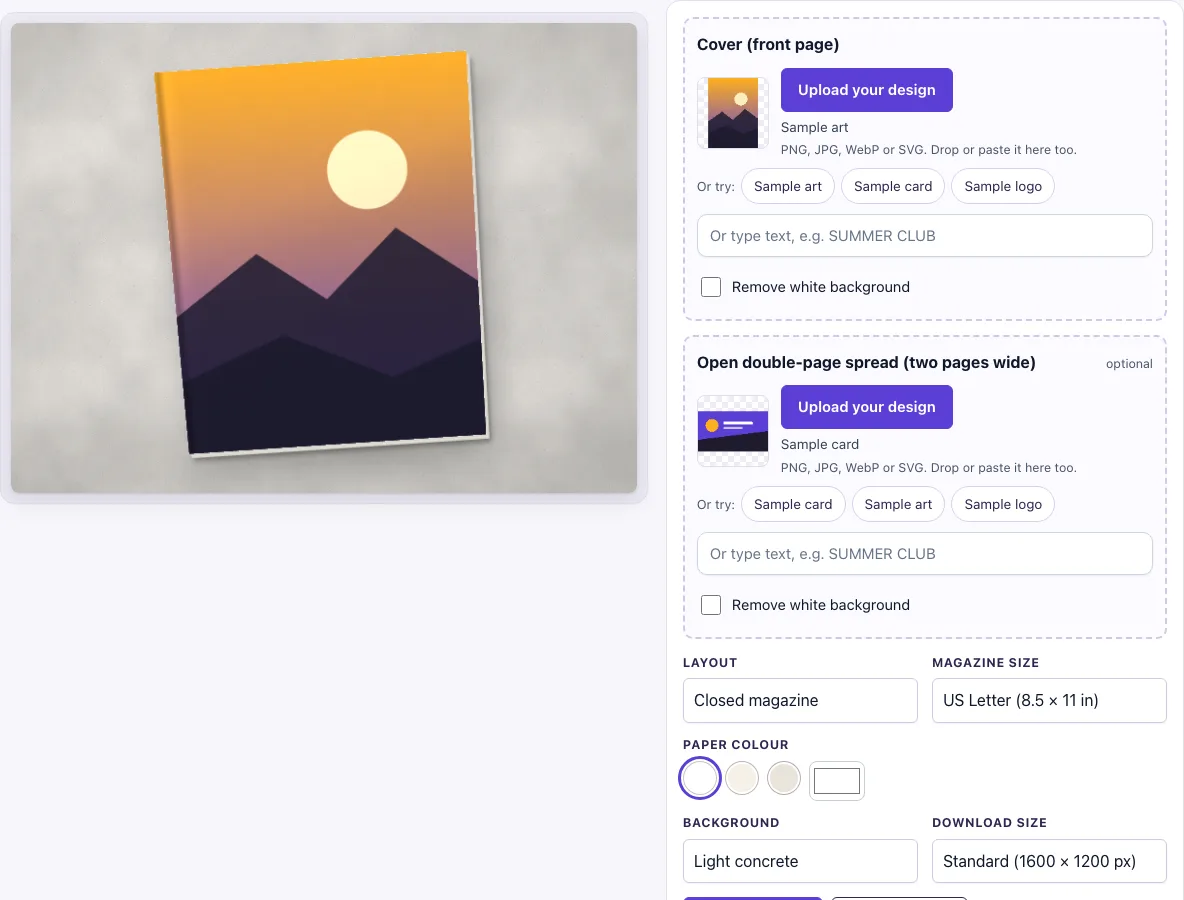
How to use the Magazine Mockup
- Under Layout, choose Closed magazine, Open double-page spread, or Two magazines.
- Under Magazine size, choose US Letter (8.5 × 11 in) or A4 (210 × 297 mm).
- In the Cover (front page) slot, add your design. Click Upload your design, drop a file on the box, or paste an image. You can also type text in the text box, or click Sample card, Sample logo or Sample art to test the layout.
- If you chose an open spread, add your image in the Open double-page spread (two pages wide) slot. This slot is optional.
- Check the Remove white background switch. It turns on automatically when your image has a plain white background and no transparency. Turn it off if you want the white to stay.
- Pick a Paper colour (white, cream or natural) and a Background, such as Oak table or Dark slate.
- Choose a Download size, Standard (1600 × 1200 px) or Large (2400 × 1800 px), then click Download PNG or Download JPG.
The settings are kept in the page address. Copy the link to reopen the same picture later. The same settings always produce the same image.
Tip: for a quick look use Closed magazine with only a cover. For Open double-page spread, upload one image twice as wide as a page; without one, the right page shows your cover as a full-page ad beside grey bars for text. Two magazines shows the cover twice, slightly overlapping.
What size is a magazine?
A US Letter magazine measures 8.5 × 11 in (215.9 × 279.4 mm). An A4 magazine measures 210 × 297 mm. A4 is defined by ISO 216, the international paper standard, while Letter is the US paper size. Pick the size that matches your real trim size, because the cover fills the page and any design with a different shape is cropped at the edges.
A4 is taller and narrower than Letter. Its sides have a ratio of about 1 to 1.414, which is the square root of 2. This ratio lets a sheet be folded in half and keep the same shape. Letter is about 1 to 1.29.
How to make a magazine mockup
A mockup is a picture of your design placed on a realistic object. The design is not changed. The scene adds the effects that make it look printed. In this tool, the closed magazine has a bright highlight and a crease on the left spine edge, and the page-stack edge shows on the right and bottom. The open spread has a shadow along the centre gutter, where the two pages meet.
A double-page spread is two pages side by side, so its width is twice the width of one page. For US Letter at 300 dpi, a spread is 17 × 11 in, which is 5100 × 3300 px. Multiply inches by dpi to get pixels. Create your spread at this size so it does not stretch or blur.
If you upload only a cover, the open view still works. The right page shows your cover as a full-page ad, and the left page shows grey bars standing in for text. This is useful for showing a cover in context before you have finished the inside pages.
Which layout shows a magazine best?
The closed view gives the largest cover, with the spine highlight and page edges that make it look bound. The open spread shows how editorial pages flow across the gutter, so use it for features and layouts. The two-magazine view suits a shop listing or a portfolio thumbnail where you want a sense of a printed run.
Frequently asked questions
Is this magazine mockup free?
Yes. It is free to use, with no sign-up and no paid option.
Can I use the mockup commercially?
Yes. You can use the images you download here to show and sell your own designs and products — in shop listings, ads, social posts and portfolios — with no credit required. You may not resell the blank scenes themselves as mockup templates or use them to run a similar service; see the terms.
What file should I upload for a magazine mockup?
Upload a PNG, JPG, WebP, GIF or SVG file. For the cover, use a front-page design at your magazine’s real size. For an open spread, upload one image twice as wide as one page, such as 5100 × 3300 px for US Letter at 300 dpi.
How do I show a magazine cover mockup?
Choose Closed magazine under Layout, then add your cover in the Cover (front page) slot. Pick a background that contrasts with your cover colours, so the edges stand out. Choose a download size that suits where you will post the image.
Why does my spread show my cover on the right page?
This happens when you have not uploaded a spread design. The tool then places your cover on the right page as a full-page ad. Upload a spread image in the optional slot to replace it.
Does the tool store my design?
No. The design file is never uploaded, and nothing is sent to a server. The picture is drawn in your browser from the file you choose.
Is the scene a photo?
No. The magazine, its shadow and the background are drawn by code in your browser, so there is no stock photo involved and the same settings always give the same picture.
Related tools
- Brochure mockup: use it to show a folded or multi-page brochure.
- Newspaper ad mockup: use it to show an advert placed on a printed newspaper page.
- Flyer mockup: use it to show a single-sheet flyer on a surface.
- Menu mockup: use it to show a restaurant or café menu.
- Poster mockup: use it to show a large printed poster.
- Postcard mockup: use it to show the front and back of a postcard.
- Letterhead mockup: use it to show stationery with a logo and layout.
- Picture frame mockup: use it to show a print inside a frame.