
Pizza Box Mockup
Put your design on a pizza box lid, show it closed, slightly open or stacked, and download a mockup image.
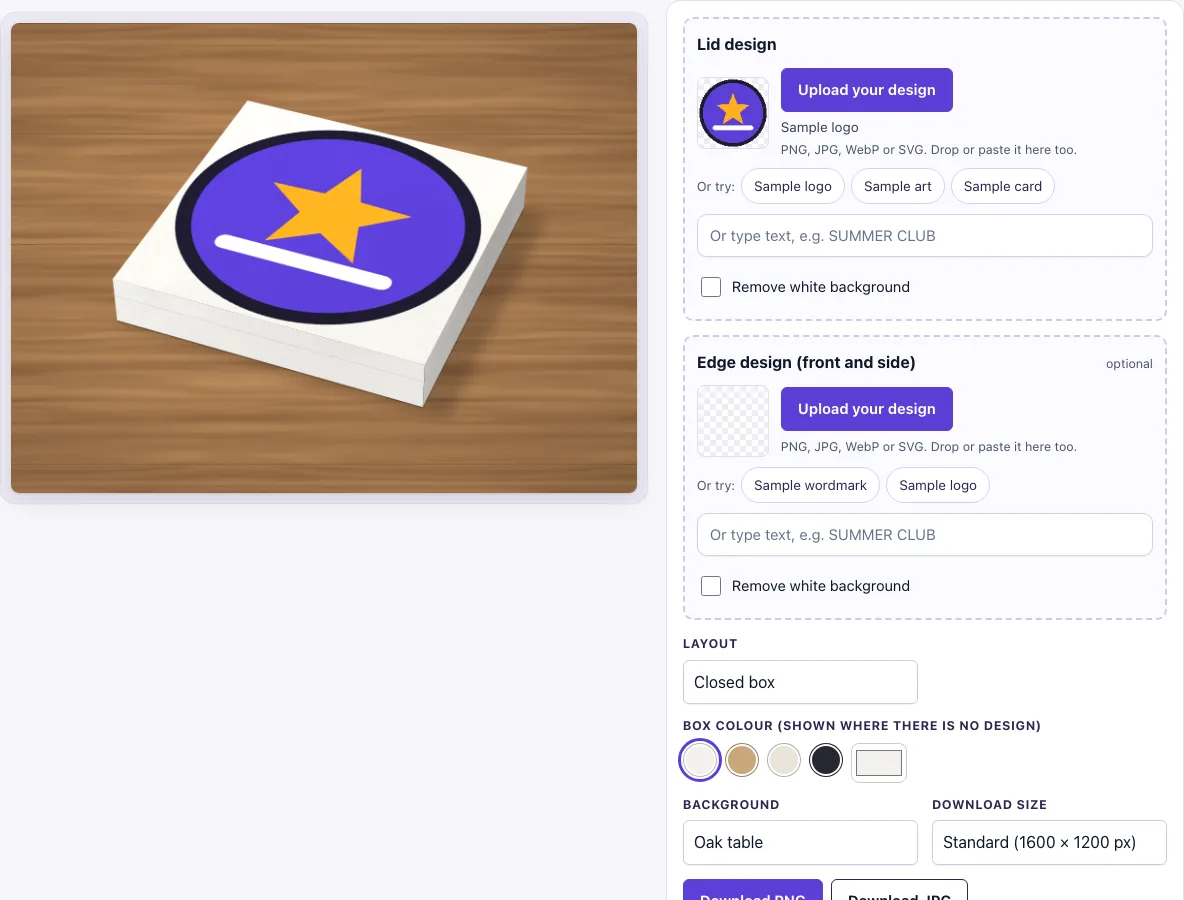
How to use the Pizza box mockup
- Find the Lid design upload. A sample logo is loaded at the start, so you can replace it. Click Upload your design, drop a file onto the box, or paste an image. Accepted formats are PNG, JPG, WebP, GIF and SVG.
- If you prefer, type text into the text box in the Lid design slot, or use one of the sample buttons.
- If your design has a white background you want removed, turn on the Remove white background switch. Near-white pixels become transparent.
- Optional: upload an Edge design (front and side) file. Skip this step if you only need the lid.
- Under Layout, choose Closed box (the default), Lid slightly open, or Stack of boxes.
- Under Box colour (shown where there is no design), pick white, kraft, natural or black, or use the colour picker for a custom colour.
- Under Background, choose a scene. The default is Oak table.
- Under Download size, choose Standard (1600 × 1200 px) or Large (2400 × 1800 px).
- Click Download PNG or Download JPG.
The settings are kept in the page address. If you copy the link, it reopens the same view, so you can share a version with a colleague or come back to it later.
How to make a pizza box mockup
A mockup is a picture that shows a flat design on a product so it looks like the real thing. This tool draws the box in code: a square lid, a thin base, and a crease line where the two meet. Your artwork is placed on the lid, and a soft shadow falls to the right to add depth.
What design should I upload for the lid
Upload a square file, such as 2000 × 2000 px. The lid fills the whole square using a cover fit, which means the image is scaled to fill the square and any overflow is cropped. A square design fits without losing edges. If your artwork is not square, keep the important parts near the centre so cropping does not cut them off.
Can I show the box with the lid open
Yes. Choose Lid slightly open under Layout. The lid is raised about 22 degrees from the back edge, so the inside of the box shows. The default is Closed box. Stack of boxes shows three boxes, but only the top lid design is fully visible.
Can I print on the side of the box
The tool includes an optional Edge design (front and side) upload. That design is repeated on the front and the side wall of the box in the image. A long, thin strip with a ratio of about 6 to 1 fits the closed box well. The box also has no printed flaps or vents, so do not design for them here.
How is the pizza box drawn
The box is drawn square and thin, with the lid and the base as separate parts. The lid carries your design, a crease line marks the seam between lid and base, and the box colour shows on the edges. In the stack layout, the lower boxes show only their edges. The light falls from the top left, so the lid is the lightest part of the box.
Frequently asked questions
Is this pizza box mockup free?
Yes. The tool is free to use and needs no sign-up. There is no paid option.
Can I use the mockup commercially?
Yes. You can use the images you download here to show and sell your own designs and products — in shop listings, ads, social posts and portfolios — with no credit required. You may not resell the blank scenes themselves as mockup templates or use them to run a similar service; see the terms.
Can I type text instead of uploading a file?
Yes. Each design slot has a text box for typing text in place of an uploaded image. You can also use the sample buttons in the same slot.
Why does the box colour show around my logo?
The box colour appears around a logo and under any transparent parts of the design. To match the box to your logo, pick a box colour that suits your artwork, or use the colour picker to choose a custom one.
Which download size should I pick?
Choose Standard (1600 × 1200 px) for quick previews and Large (2400 × 1800 px) when you need a bigger, sharper image. Both sizes come out as PNG or JPG.
Is the scene a photo?
No. The box, its shadow and the background are drawn by code in your browser, so there is no stock photo involved and the same settings always give the same picture.
Related tools
- Packaging mockup: use it to show your design on a product box.
- Can mockup: use it to wrap a label around a drink can.
- Lanyard mockup: use it to show an ID badge with a lanyard strap.
- Paper bag mockup: use it to put your logo on a shopping bag.
- Hang tag mockup: use it to show a tag with a hole and string.
- Sticker mockup: use it to show a sticker design on a surface.
- Business card mockup: use it to show the front and back of a card.
- Envelope mockup: use it to show a branded envelope.